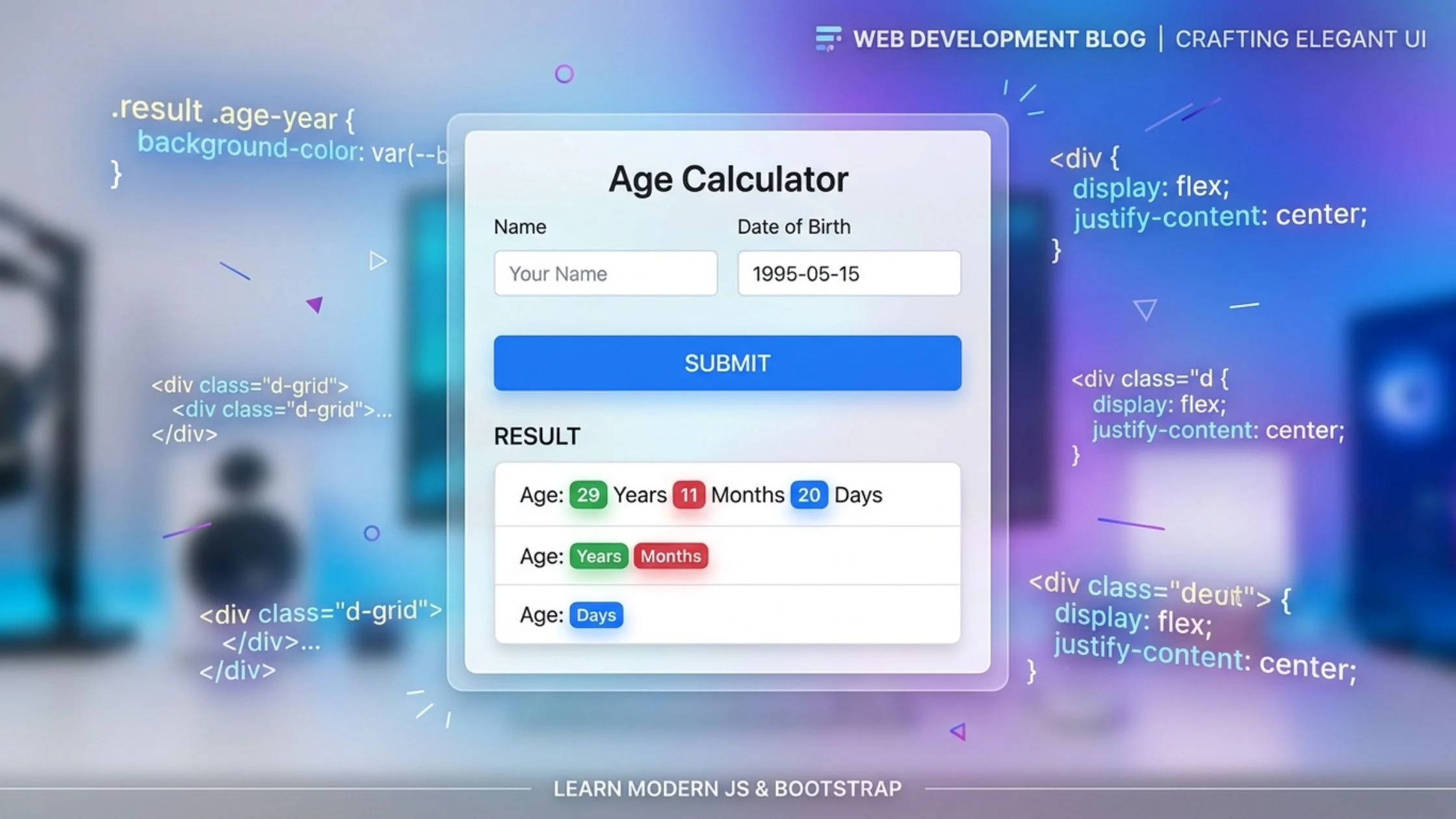
Want to add a practical, user-friendly utility tool to your web development portfolio? In this quick code cookbook guide, we will walk through building a modern Age Calculator web application.
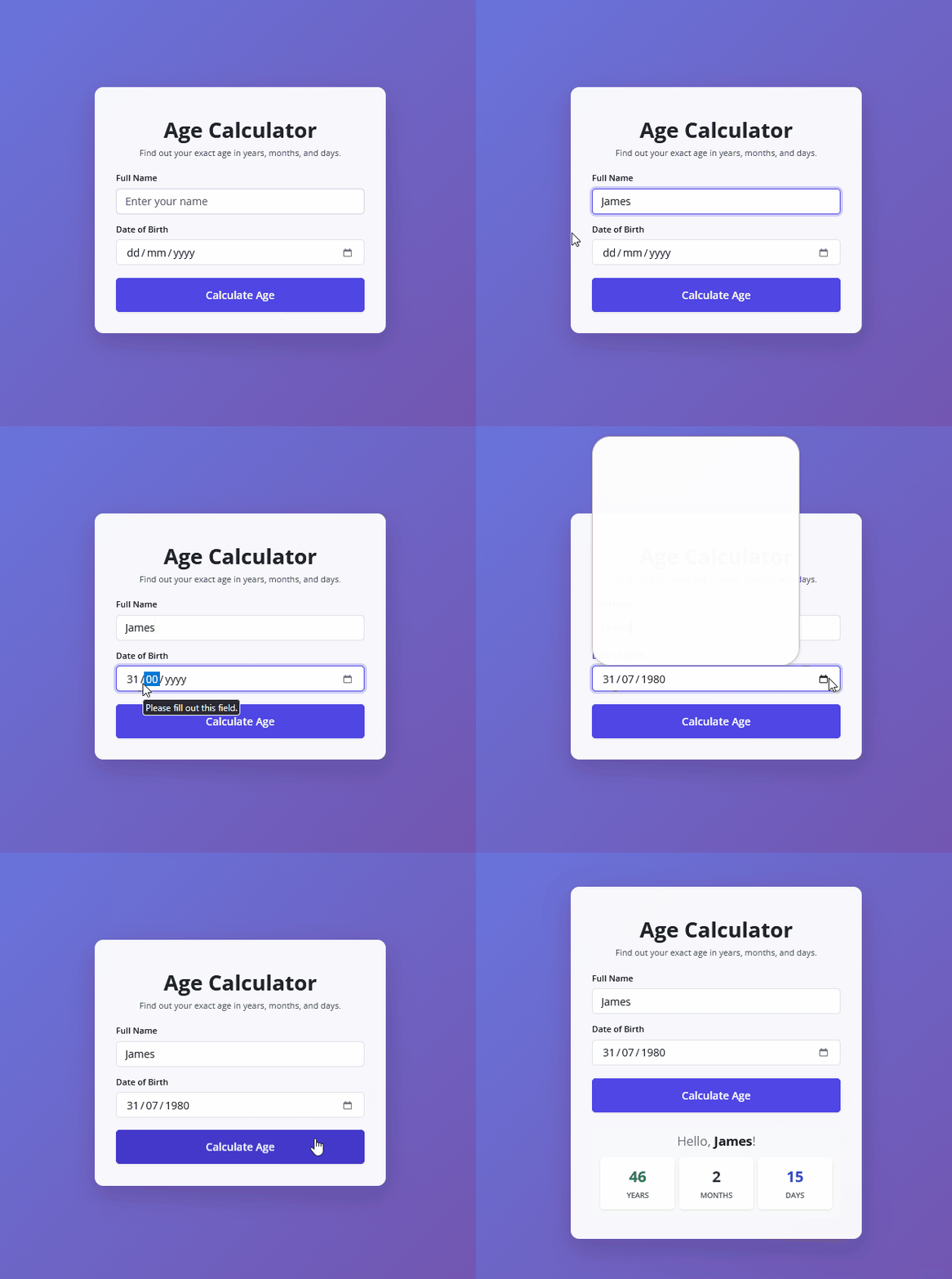
Using Bootstrap 5 for a clean layout and vanilla JavaScript for real-time date math, this component calculates a user’s exact age down to the exact years, months, and days!
<!DOCTYPE html>
<html lang="en">
  <head>
    <meta charset="UTF-8" />
    <meta name="viewport" content="width=device-width, initial-scale=1.0" />
    <title>Modern Age Calculator</title>
    <!-- FontAwesome for Icons -->
    <script
      src="https://kit.fontawesome.com/1935d064dd.js"
      crossorigin="anonymous"
    ></script>
    <!-- Bootstrap 5 CSS CDN -->
    <link
      href="https://cdn.jsdelivr.net/npm/bootstrap@5.3.0/dist/css/bootstrap.min.css"
      rel="stylesheet"
    />
    <!-- Custom Stylesheet -->
    <link rel="stylesheet" href="styles.css" />
  </head>
  <body>
    <!-- Main Container with Centered Layout -->
    <div class="container d-flex justify-content-center align-items-center min-vh-100">
      <div class="card shadow-lg p-4 border-0 rounded-4 w-100" style="max-width: 550px;">
        <div class="card-body">

          <!-- Header Section -->
          <div class="text-center mb-4">
            <div class="icon-container mb-3 text-primary">
              <i class="fa-solid fa-calculator fa-3x"></i>
            </div>
            <h1 class="fw-bold text-dark">Age Calculator</h1>
            <p class="text-muted">Find out your exact age in years, months, and days.</p>
          </div>

          <!-- Age Calculator Form -->
          <form action="" autocomplete="off" id="ageForm">
            <div class="mb-3">
              <label for="username" class="form-label fw-semibold">Full Name</label>
              <input
                type="text"
                class="form-control form-control-lg"
                placeholder="Enter your name"
                id="username"
                required
              />
            </div>
            <div class="mb-4">
              <label for="dob" class="form-label fw-semibold">Date of Birth</label>
              <input
                type="date"
                class="form-control form-control-lg"
                id="dob"
                required
              />
            </div>
            <div class="d-grid">
              <button type="submit" class="btn btn-primary btn-lg py-3 fw-semibold shadow-sm">Calculate Age</button>
            </div>
          </form>

          <!-- Result Display Section (Hidden by default using 'd-none') -->
          <div class="result mt-4 d-none" id="resultContainer">
            <div class="card bg-light border-0 rounded-3 p-3">
              <h4 class="text-center mb-3 text-secondary">Hello, <span class="u-name fw-bold text-dark"></span>!</h4>
              <div class="row text-center g-2">
                <div class="col-4">
                  <div class="p-3 bg-white rounded-3 shadow-sm">
                    <span class="age-year d-block fs-3 fw-bold text-success">0</span>
                    <small class="text-muted text-uppercase fw-semibold">Years</small>
                  </div>
                </div>
                <div class="col-4">
                  <div class="p-3 bg-white rounded-3 shadow-sm">
                    <span class="age-month d-block fs-3 fw-bold text-danger">0</span>
                    <small class="text-muted text-uppercase fw-semibold">Months</small>
                  </div>
                </div>
                <div class="col-4">
                  <div class="p-3 bg-white rounded-3 shadow-sm">
                    <span class="age-day d-block fs-3 fw-bold text-primary">0</span>
                    <small class="text-muted text-uppercase fw-semibold">Days</small>
                  </div>
                </div>
              </div>
            </div>
          </div>

        </div>
      </div>
    </div>

    <!-- Custom JavaScript File -->
    <script src="script.js"></script>
  </body>
</html>@import url("https://fonts.googleapis.com/css2?family=Open+Sans:wght@300;400;600;700&display=swap");
:root {
--bs-primary: #4f46e5;
--bs-primary-rgb: 79, 70, 229;
}
/* Global body styling with a modern gradient background */
body {
font-family: "Open Sans", sans-serif;
background: linear-gradient(135deg, #667eea 0%, #764ba2 100%);
min-height: 100vh;
}
/* Card glassmorphism & soft styling effect */
.card {
backdrop-filter: blur(10px);
background-color: rgba(255, 255, 255, 0.95);
transition: transform 0.3s ease;
}
/* Custom focus ring for form inputs */
.form-control:focus {
border-color: var(--bs-primary);
box-shadow: 0 0 0 0.25rem rgba(79, 70, 229, 0.25);
}
/* Primary button styling and hover animation */
.btn-primary {
background-color: var(--bs-primary);
border-color: var(--bs-primary);
transition: all 0.3s ease;
}
.btn-primary:hover {
background-color: #4338ca;
border-color: #4338ca;
transform: translateY(-2px);
}// Selecting DOM elements from HTML
const username = document.querySelector("#username");
const dob = document.querySelector("#dob");
const form = document.querySelector("#ageForm");
const showName = document.querySelector(".u-name");
const resultContainer = document.querySelector("#resultContainer");
// Array holding the standard number of days in each month (non-leap year baseline)
const months = [31, 28, 31, 30, 31, 30, 31, 31, 30, 31, 30, 31];
// Listen for form submission event
form.addEventListener("submit", calculateAge);
/**
* Main function to calculate age based on input birth date and current date
*/
function calculateAge(e) {
// Prevent page refresh on form submit
e.preventDefault();
// Validate if inputs are filled
if (!username.value || !dob.value) {
alert("Please fill in your name and date of birth!");
return;
}
let today = new Date();
let dobInput = new Date(dob.value);
// Extract date components from input
let birthDetails = {
date: dobInput.getDate(),
month: dobInput.getMonth() + 1, // getMonth() returns 0-11, so add 1
year: dobInput.getFullYear(),
};
let currentYear = today.getFullYear();
let currentMonth = today.getMonth() + 1;
let currentDate = today.getDate();
// Validate if the birth date is set in the future
if (
birthDetails.year > currentYear ||
(birthDetails.month > currentMonth && birthDetails.year == currentYear) ||
(birthDetails.date > currentDate &&
birthDetails.month == currentMonth &&
birthDetails.year == currentYear)
) {
alert("Invalid date! Birth date cannot be in the future.");
return;
}
// Initial calculation of age differences
let birthYear = currentYear - birthDetails.year;
let birthMonth;
let birthDate;
// Calculate month difference
if (currentMonth >= birthDetails.month) {
birthMonth = currentMonth - birthDetails.month;
} else {
birthYear--;
birthMonth = 12 + currentMonth - birthDetails.month;
}
// Calculate day difference
if (currentDate >= birthDetails.date) {
birthDate = currentDate - birthDetails.date;
} else {
birthMonth--;
// Get total days of the previous month dynamically
let days = months[currentMonth - 2 < 0 ? 11 : currentMonth - 2];
birthDate = days + currentDate - birthDetails.date;
// Adjust if month calculation drops below 0
if (birthMonth < 0) {
birthMonth = 11;
birthYear--;
}
}
// Pass calculated results to display function
displayResult(birthDate, birthMonth, birthYear);
}
/**
* Function to render/display the calculated results on the UI
*/
function displayResult(bDate, bMonth, bYear) {
showName.textContent = username.value;
document.querySelector(".age-year").textContent = bYear;
document.querySelector(".age-month").textContent = bMonth;
document.querySelector(".age-day").textContent = bDate;
// Remove hidden class to reveal the result container smoothly
resultContainer.classList.remove("d-none");
}How the Code Works
The application relies on three core layers working together seamlessly:
- The Structure (HTML): Built with Bootstrap 5, it features a responsive card layout, input fields for the user’s name and date of birth (
<input type="date">), and a stylized result dashboard hidden by default using Bootstrap’sd-noneclass. - The Style (CSS): Enhances the default look with a modern gradient background (
linear-gradient), smooth card hover effects, and a custom primary color variable to give it a polished, professional finish. - The Logic (JavaScript): Listens for form submissions, validates that inputs aren’t empty or set in the future, and breaks down the math:
- It subtracts the birth year from the current year.
- It calculates remaining months and handles month-borrowing logic if the current month precedes the birth month.
- It computes exact days by referencing a dynamic days-per-month lookup table to ensure absolute accuracy.
Customizable Variables & Quick Tweaks
If you want to customize or extend this component for your own project, keep an eye on these key variables and properties:
const months = [31, 28, 31, 30, 31, 30, 31, 31, 30, 31, 30, 31];- What it does: Serves as the reference array for the number of days in each standard calendar month.
- Tip: If you want to expand this script to factor in leap years precisely for February, you can add a simple leap-year checking function to dynamically update index
1of this array.
--bs-primary(CSS Root Variable):- What it does: Controls the main brand color (buttons, focus rings, and accents).
- Tip: Change this HEX value in your CSS root to instantly match your website’s color scheme without touching individual elements.
max-width: 550px;(Card Inline Style):- What it does: Controls the maximum width of the calculator card container.
- Tip: Adjust this value if you want a wider layout or want to integrate the calculator directly inside a sidebar widget.